This is important because content is becoming more creative. Headlines, buttons, advertisements and more are becoming more witty. Words are being used in puns for marketing purposes to the consumers’ delight, but “how the sausage is made” (to use a turn of phrase in and of itself that would need to be transcreated) requires a more sophisticated technology to scale and optimize the process.
Smartling Transcreation Tool
Say hello to a new way to do transcreation. Smartling’s new Transcreation Tool gives you a single touchpoint to manage every aspect of the process without the need for spreadsheets.

What is transcreation?
Introducing Smartling’s Transcreation Tool
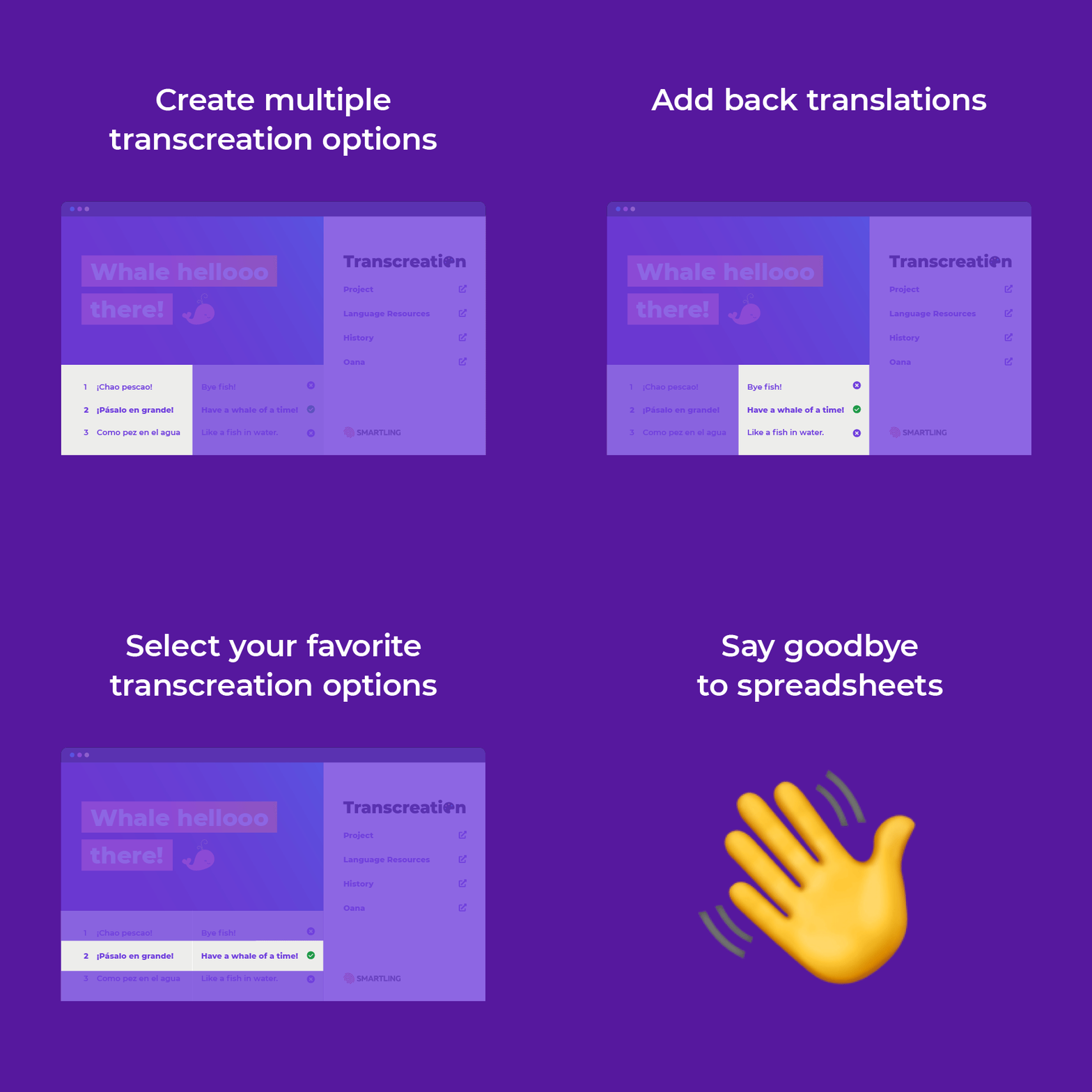
The only tool on the market specifically designed for transcreating content at scale. With the new Transcreation Tool you can:
- Create multiple transcreation options
- Add back translations
- Select your favorite transcreation options
- Say goodbye to spreadsheets 👋
Out with the old.
In with the new.
Smartling’s new Transcreation Tool replaces the decades-old process of transcreating content in antiquated documentation tools that are offline, email-based, and not easily scaled. It’s a time consuming, expensive process laden with spreadsheets and inefficiencies. That’s why we created the new Transcreation Tool, the first tool specifically designed to help you with transcreating content at scale.
What the transcreation tool looks like
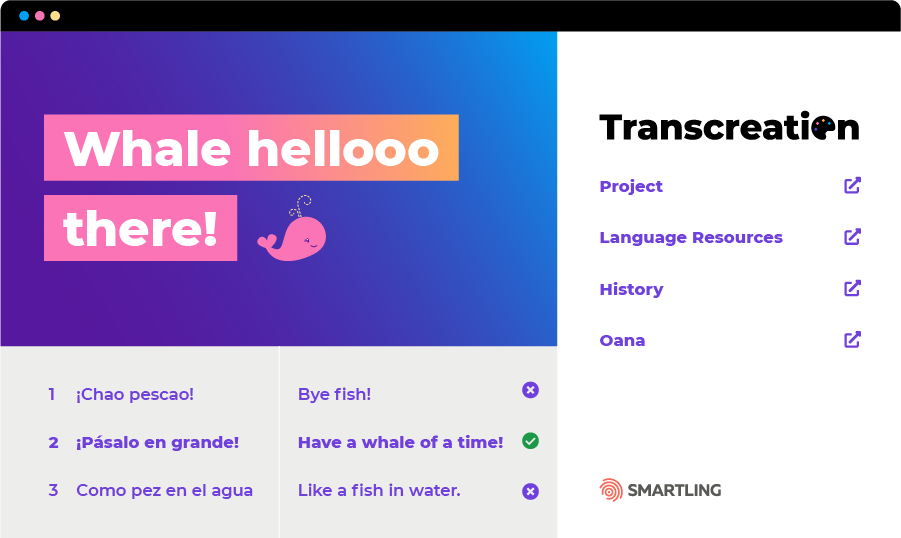
Translators see the source string, and then have the ability to add multiple translations and back-translations so the project owner can understand the meaning of each option. Each string is automatically configured within Smartling’s WYSIWYG visual context editor, enabling the translator and content owner to collaborate on the content and see how the transcreations appear before merging transcreations with the code.
Getting transcreations right the first time
Getting translations and transcreation right before merging the target content with the code base eliminates the back-and-forth typically associated with editing that takes place after issues are identified in the quality assurance phase. The experience of working in Smartling’s Transcreation Tool is similar to collaborative writing technologies that enable you to communicate easily with contributors and access linguistic assets.
How the Transcreation Tool is collaborative
When the translator submits transcreation options in context, you’re also presented with back translations. So even if you aren’t multilingual, you can get an idea for what the target transcreation means. Transcreating “Whale hellooo there” into Spanish for Latin America yields three options.
- Bye fish!
- Have a whale of a time!
- Like a fish in water.
Smartling on Transcreation Services
Watch the transcreation workshop below featuring Smartling’s transcreators and Language Services Team.
Separate your Transcreation Memory from your Translation Memory
Smartling is known for its ability to centralize all things translation into one place. Like storing all of your translations into one, or group of translation memories. With transcreation, it’s important to isolate terminology so that it doesn’t get linked to the translation memory. We’ve thought about details like this so you don’t have to: your transcreation memory will be separate from your translation memory.
Translation vs. Transcreation
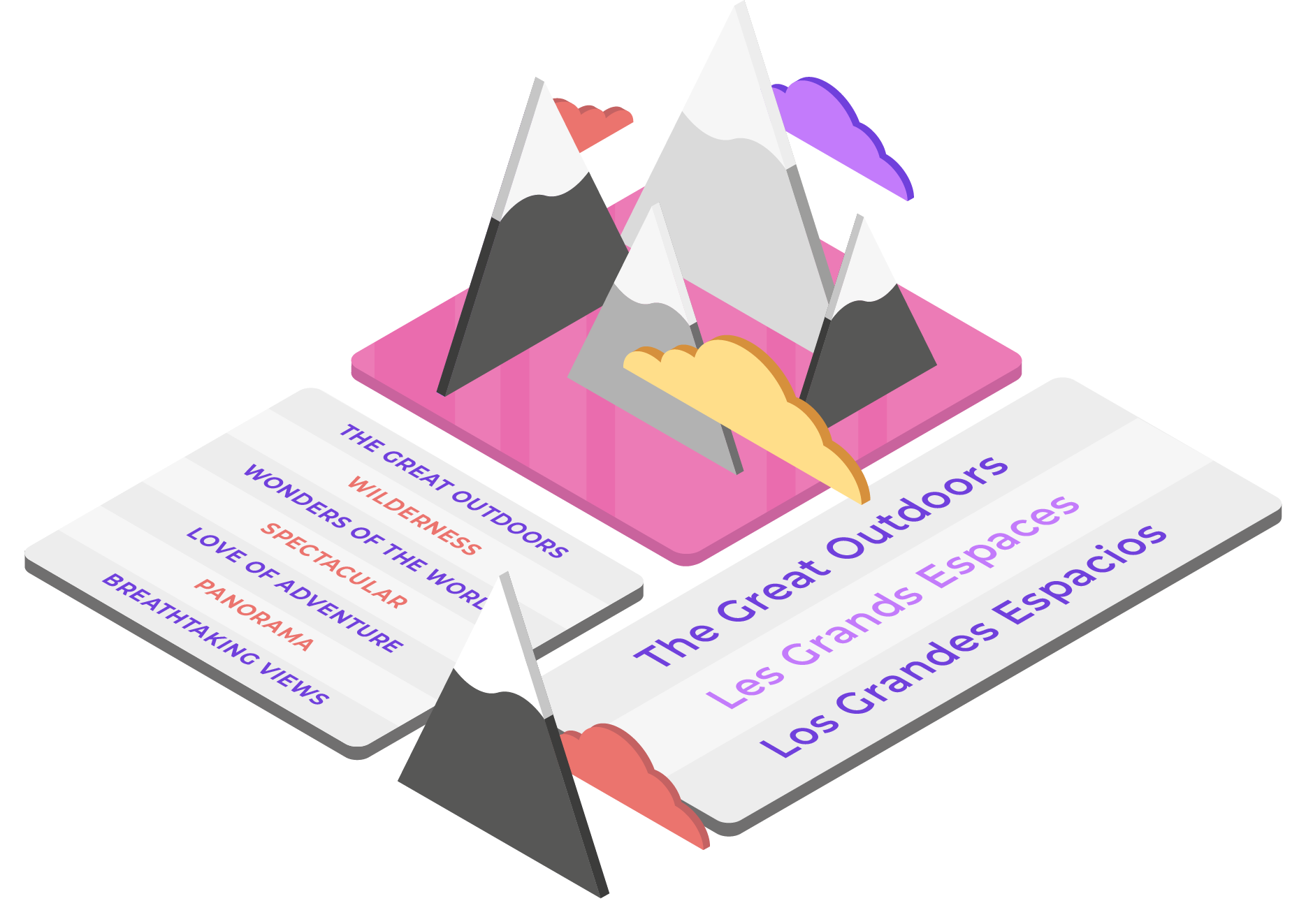
Translation is verbatim. It’s a direct recreation of the source text into a new language. Transcreation, on the other hand, is taking the meaning, style, tone, and intent of the original source and creating a new asset in a new language.
The emotional impact and outcome is the same, but the road you take to get there is different.
Five features customers love with the Transcreation Tool
Along with being able to set up a smoother process, the Transcreation Tool gives you the ability to supercharge all aspects of your transcreation workflow.
Smartling developed the Transcreation Tool with the advice and counsel of translators and customers who have been using a beta version of the product for months.
Smartling developed the Transcreation Tool with the advice and council of translators and customers who have been used a beta version of the product for months.
“I absolutely love working on creative projects with our customers, and Smartling’s new Transcreation Tool makes it substantially more efficient to produce quality results. I no longer have to stare into the cells of a spreadsheet and circulate transcreations by email. Instead, I log into Smartling, write three options with back translations, and then communicate directly with the customer through the platform to ensure the work meets their expectations."
Gabriela O., a professional Smartling translator in Argentina.
Transcreate tomorrow today
Leapfrog your content into the future with Smartling’s new Transcreation Tool. You’ll be able to ditch spreadsheets and an email-based workflow behind and you won’t look back.